The Subcontractor Coordination Problem
Every general contractor knows this pain: You've got a perfect schedule on paper. Electricians on Monday, plumbers on Tuesday, HVAC on Wednesday. Then the electricians don't show up because they forgot. The plumbers arrive but can't work because the electricians didn't finish their rough-in. And suddenly your perfectly sequenced schedule is a disaster.
Managing subcontractors isn't just about scheduling—it's about communication, accountability, and constant coordination. According to industry data, scheduling conflicts and subcontractor no-shows cost contractors an average of 15-20% of their project margin through delayed completion, expedited labor, and client penalties.
The traditional approach—endless phone calls, text messages, and crossed fingers—isn't working. But a new approach using AI coordination is changing the game.
Why Traditional Methods Fail
The Phone Tag Nightmare
You call the electrician. They're on another site. You leave a voicemail. They call back when you're in a meeting. You try again. Two days later, you still haven't confirmed Tuesday's schedule.
The Group Text Chaos
You've got 47 unread messages in the "Main St Project" group chat. Half are questions you've already answered. A quarter are off-topic. And somewhere buried in there is an urgent schedule change that you missed.
The Spreadsheet Illusion
Your master schedule looks great in Excel—until reality intervenes. A sub finishes early. Another runs late. Weather delays everything. Updating the spreadsheet takes hours, and by the time you're done, it's already outdated again.
Memory-Based Management
"I'm pretty sure I told Mike we needed him Thursday, not Wednesday." Sound familiar? When schedules live in your head and scattered conversations, things slip through cracks. Important things.
What AI-Powered Coordination Looks Like
Modern AI coordination tools take a fundamentally different approach. Instead of you managing communications, the system manages communications for you—while keeping you informed and in control.
Automated Scheduling Confirmations
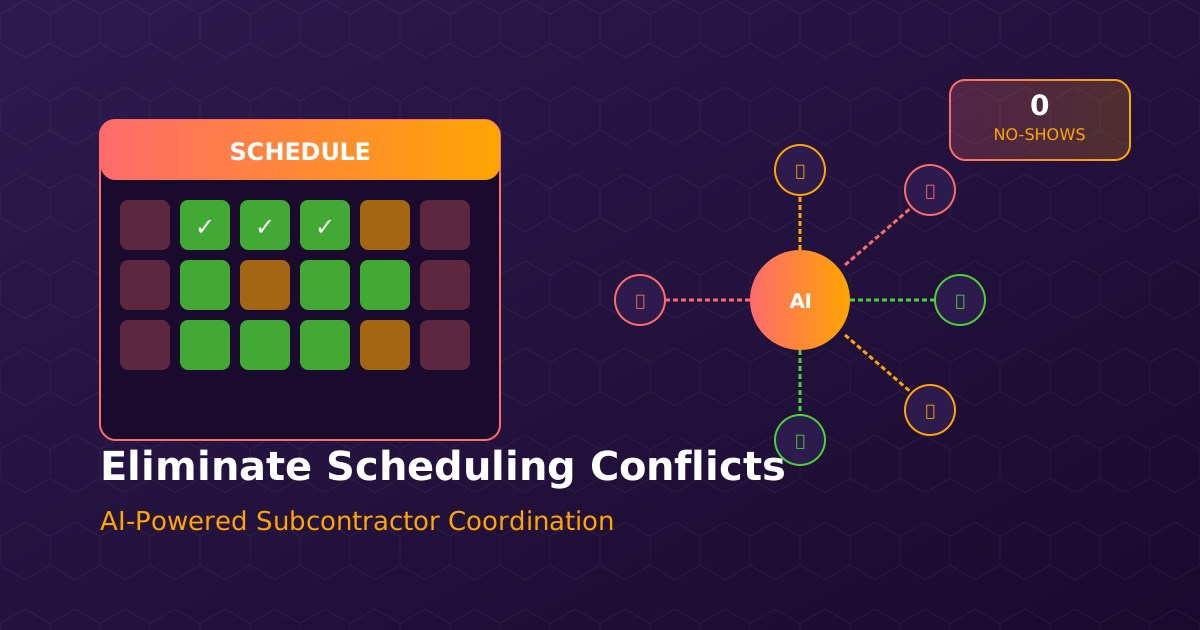
When a subcontractor is scheduled, the system automatically: - Sends confirmation requests 48 hours in advance - Follows up if no response is received - Escalates to you only if there's a problem - Updates schedules based on confirmed responses
No more phone tag. No more wondering if someone got the message.
Smart Conflict Detection
AI doesn't just track who's scheduled when—it understands dependencies. It knows that: - Drywall can't start until electrical rough-in is inspected - HVAC needs clear access that framing crews might block - Certain trades can't work in the same area simultaneously
When someone's schedule changes, the system automatically identifies downstream impacts and suggests adjustments.
Commitment Tracking and Accountability
Every confirmation, delay notification, and schedule change is logged. You can see: - Which subs consistently confirm on time - Who frequently reschedules - Patterns in delays (always late on Mondays? Always problematic at a certain project phase?)
This data is invaluable for making decisions about future work assignments and contract negotiations.
Real-Time Communication
When a sub arrives on site, the system can notify relevant parties. When they complete their work, inspection requests can be triggered automatically. Everyone knows what's happening without anyone having to make phone calls.
The Real-World Impact

Let's look at what AI coordination actually achieves:
Scheduling Conflicts Down 85%
When the system understands dependencies and can automatically adjust downstream schedules, conflicts become rare rather than routine. The few that do occur are flagged early enough to address without crisis.
Subcontractor On-Time Performance Up 30%
When subs know they'll be reminded, followed up with, and held accountable, they show up when they're supposed to. The automatic confirmation system alone improves on-time arrival significantly.
Administrative Time Cut by 60%
Project managers spend less time on phone tag and more time on actual project management. The coordination that used to consume half their day now happens in the background.
Better Subcontractor Relationships
This might seem counterintuitive—doesn't automation make relationships more impersonal? Actually, the opposite is true. When routine coordination is handled automatically, you have time for actual relationship-building conversations. And subs appreciate the clarity and professionalism.
Implementation: Getting Started
Step 1: Map Your Current Process
Document your current subcontractor communication workflows: - How do you schedule subs initially? - How do you confirm schedules? - How do you handle changes and delays? - What information do you track?
This baseline helps you understand what to automate and measure improvement.
Step 2: Centralize Contact Information
AI coordination requires accurate contact information for all subcontractors. Take time to: - Verify phone numbers and emails - Identify primary contacts and backups - Note preferred communication methods - Document any special scheduling requirements
Step 3: Define Your Workflows
Work with your AI coordination tool to set up: - When to send confirmation requests - How many follow-ups before escalation - What triggers automatic schedule adjustments - Who gets notified about what changes
Step 4: Start with One Project
Don't try to switch everything at once. Pick one project to pilot the new system. Learn from the experience, adjust your workflows, then expand to others.
Step 5: Review and Refine
After a few weeks, review the data: - Which communications are working well? - Where are bottlenecks occurring? - What adjustments would improve the process?
Common Concerns Addressed
"My subs won't like automated messages"
We hear this a lot, and it's almost never true. Subcontractors appreciate: - Clear, consistent communication - Not having to play phone tag - Knowing exactly what's expected and when - Written records they can reference
Most subs actually prefer automated confirmations to sporadic, inconsistent manual outreach.
"What if the system makes a mistake?"
AI coordination tools are designed with appropriate oversight. You review and approve schedules. The system handles the communication—but you remain in control of the decisions.
"We don't have that many subs to manage"
Even if you only work with 10-15 regular subcontractors, the coordination load is significant. AI doesn't just help with volume—it helps with consistency and follow-through.
"Our schedules change too often"
Actually, this is exactly when AI coordination shines. When changes are frequent, manual communication becomes impossible to maintain. Automated systems handle change communication effortlessly.
The Bigger Picture
Subcontractor coordination is just one piece of construction operations, but it's a critical one. Delays, conflicts, and no-shows ripple through projects, affecting everything from cash flow to client satisfaction.
By implementing AI-powered coordination, you're not just solving a scheduling problem—you're building a more professional, reliable operation. Subcontractors notice. Clients notice. And your bottom line reflects it.
Interested in seeing how AI coordination can transform your subcontractor management? Explore our Operations Agent or download our free Subcontractor Agreement template to improve your coordination process today.