An Industry-Wide Scheduling Crisis
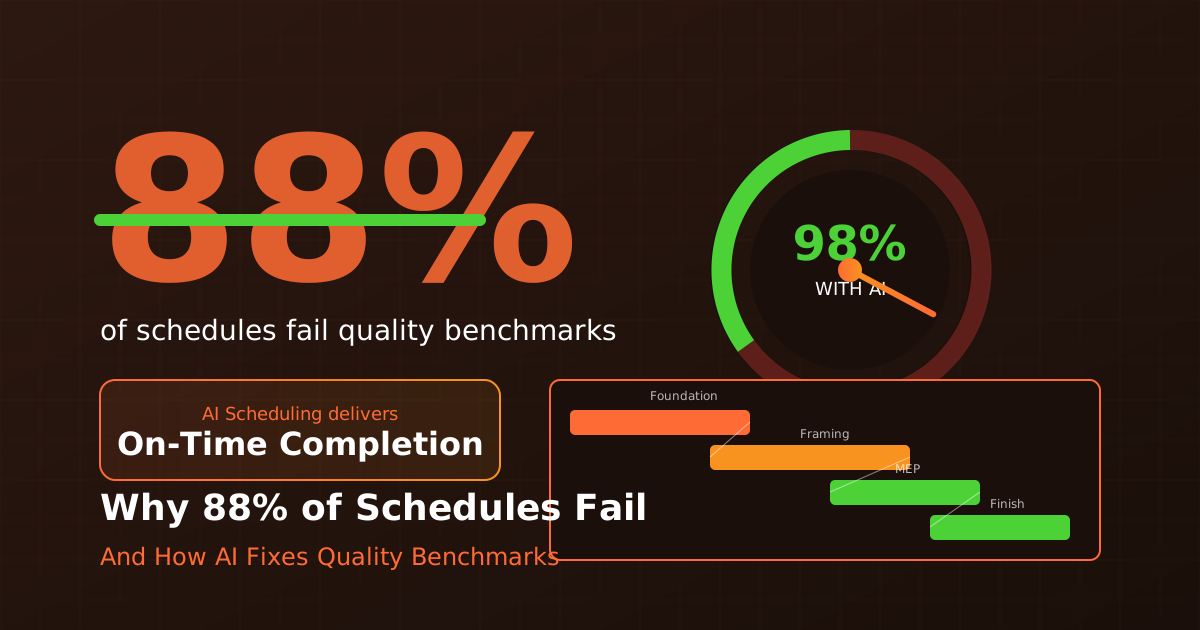
Let's start with a sobering statistic: a 2025 analysis of over 70,000 construction project schedules found that 88% fail basic quality benchmarks. Not complex metrics—basic indicators like logical relationships between tasks and reasonable durations.
This isn't just an academic concern. Poor scheduling directly contributes to the industry's average 77-day project delay and 28% budget overrun. When your schedule doesn't reflect reality, everything downstream suffers.
The question isn't whether construction scheduling needs to improve. It's how.
Where Schedules Go Wrong
The Planning Fallacy
Most schedules are built on optimism rather than data. "We can frame that in three weeks" becomes the baseline, even though your last ten framing jobs averaged four weeks. Historical optimism compounds across hundreds of tasks.
Static vs. Dynamic Reality
Traditional schedules are snapshots frozen in time. But construction projects are dynamic—weather delays happen, materials arrive late, crews underperform or overperform. A schedule that can't adapt isn't a plan; it's a wish.
Missing or Incorrect Dependencies
The schedule shows drywall starting Monday, but nobody verified that the electrical rough-in will actually be complete and inspected by then. Missing or incorrect task relationships are the single biggest cause of scheduling failures.
Resource Conflicts
You've scheduled two crews for the same project on Tuesday, but you only have enough equipment for one. Or your best superintendent is supposedly at three job sites simultaneously. Resource conflicts hide in complex schedules until they become crises.
Lack of Buffer and Contingency
Every task is scheduled back-to-back with zero float time. One delay cascades through the entire project. Realistic schedules include appropriate buffers—but that feels like "padding" that clients and bosses question.
The True Cost of Schedule Failures
Direct Financial Impact
When projects run late, the costs add up quickly: - Extended general conditions ($5,000-$25,000+ per week) - Liquidated damages (often $500-$5,000 per day) - Acceleration costs if you try to recover time - Lost productivity from constant replanning
Hidden Costs
Beyond direct costs, schedule failures damage: - Client relationships and future work opportunities - Subcontractor relationships (nobody likes schedule chaos) - Employee morale and retention - Your company's reputation in the market
Opportunity Costs
Time spent in crisis mode is time not spent on: - Winning new business - Improving operations - Developing your team - Growing strategically
What Good Scheduling Looks Like
Before exploring solutions, let's define what quality scheduling actually means:
Logical Relationships
Every task should have clear predecessors and successors. Nothing floats in isolation. The schedule should answer: what must happen before this, and what can't happen until this is done?
Realistic Durations
Durations should be based on historical data, not optimism. If your average bathroom rough-in takes 3 days, scheduling 1.5 days because "this one is smaller" is wishful thinking.
Resource Loading
The schedule should account for who's doing the work and what equipment they need. If resources are overallocated, the schedule is fiction.
Appropriate Float
Critical path tasks have zero float by definition, but non-critical paths should have buffer. A schedule with zero total float is a schedule with zero margin for error.
Regular Updates
A schedule is a living document. Weekly updates comparing planned vs. actual progress allow course correction before small delays become big problems.
How AI Improves Construction Scheduling
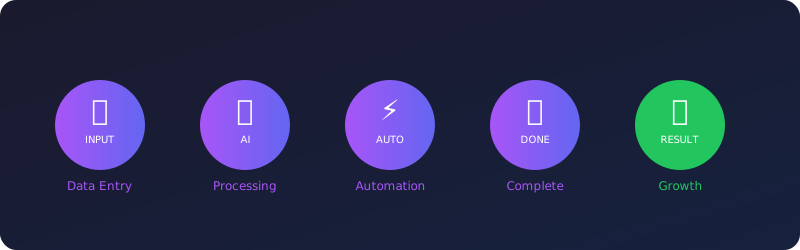
AI scheduling tools address the fundamental weaknesses of traditional approaches:
Data-Driven Duration Estimates
Instead of guessing how long tasks will take, AI analyzes your historical project data to suggest realistic durations. It knows your actual framing times, not your hoped-for framing times.
Automatic Dependency Detection
AI can identify common dependencies that humans overlook. It knows that MEP rough-in typically precedes drywall, and flags schedules that don't reflect this.
Dynamic Resource Optimization
AI continuously checks for resource conflicts and suggests alternatives. It can automatically level resources to eliminate overallocation.
Weather Integration
AI tools can integrate weather forecasts and adjust schedules automatically. Expected rain on Monday? Outdoor concrete work moves to Wednesday, and all downstream tasks adjust.
Scenario Modeling
"What if the steel delivery is two weeks late?" AI can instantly model the impact and show recovery options. This analysis would take hours manually.
Early Warning Systems
AI monitors actual progress against the schedule and flags variances before they become crises. You know you're falling behind on Thursday, not the following Monday.
Implementation: Moving to Smarter Scheduling
Step 1: Assess Your Current State
Be honest about your scheduling quality: - What percentage of projects finish on schedule? - How often do you update schedules? - Do your schedules have proper dependencies? - Are resources actually loaded and tracked?
Step 2: Clean Up Your Data
AI tools need historical data to be effective: - Compile actual durations from past projects - Document common dependencies and sequences - Record resource productivity rates - Track weather impacts on different work types
Step 3: Start Simple
Don't try to implement perfect scheduling overnight: - Pick one project for a pilot - Focus on getting dependencies right first - Add resource loading once dependencies work - Layer in advanced features gradually
Step 4: Build the Habit
Good scheduling requires consistent discipline: - Weekly schedule updates, no exceptions - Variance analysis at every update - Lessons learned at project completion - Continuous refinement of duration estimates
Step 5: Leverage AI Assistance
Once you have foundational practices in place: - Use AI for duration suggestions - Implement automatic conflict detection - Set up early warning alerts - Explore scenario modeling for major decisions
Common Resistance and Responses
"Detailed scheduling takes too much time"
Poor scheduling takes more time—just spread across the project as crisis management. Invest hours in planning to save days in execution.
"Things always change anyway"
Exactly why you need dynamic scheduling that adapts to change, not static schedules that become useless the moment reality diverges from the plan.
"Our team doesn't have scheduling skills"
AI tools lower the skill barrier significantly. They guide users toward better schedules and catch common mistakes automatically.
"Clients don't understand schedule float"
Educate them. A schedule with appropriate float is more reliable than one without. Clients ultimately want predictability—help them understand that realistic scheduling delivers it.
The Competitive Advantage of Reliable Schedules
In an industry where most schedules fail, being able to reliably predict and deliver becomes a significant differentiator. Clients will pay premium prices for contractors they can count on.
More importantly, reliable scheduling enables: - Accurate cost predictions (no surprise overtime or acceleration) - Better subcontractor relationships (predictable work flow) - Improved crew utilization (less idle time) - Higher project margins (fewer delays mean lower costs)
Moving Forward
The 88% schedule failure rate isn't inevitable. It's a symptom of outdated methods applied to complex modern projects. AI-powered scheduling tools, combined with disciplined practices, can put you in the 12% that succeeds.
The question is whether you'll lead the change or be disrupted by competitors who do.
Ready to improve your scheduling? Explore our Operations Agent for AI-powered schedule management, or download our free Project Schedule Template to establish better baseline practices.